Four machines, one desk, and five rules I stopped re-deciding
A desktop with the GPU, a Mac mini that never sleeps, a NAS, and a laptop on the couch. Before wiring them together I wrote down what each one is for. The first post in a series on making them feel like one computer.
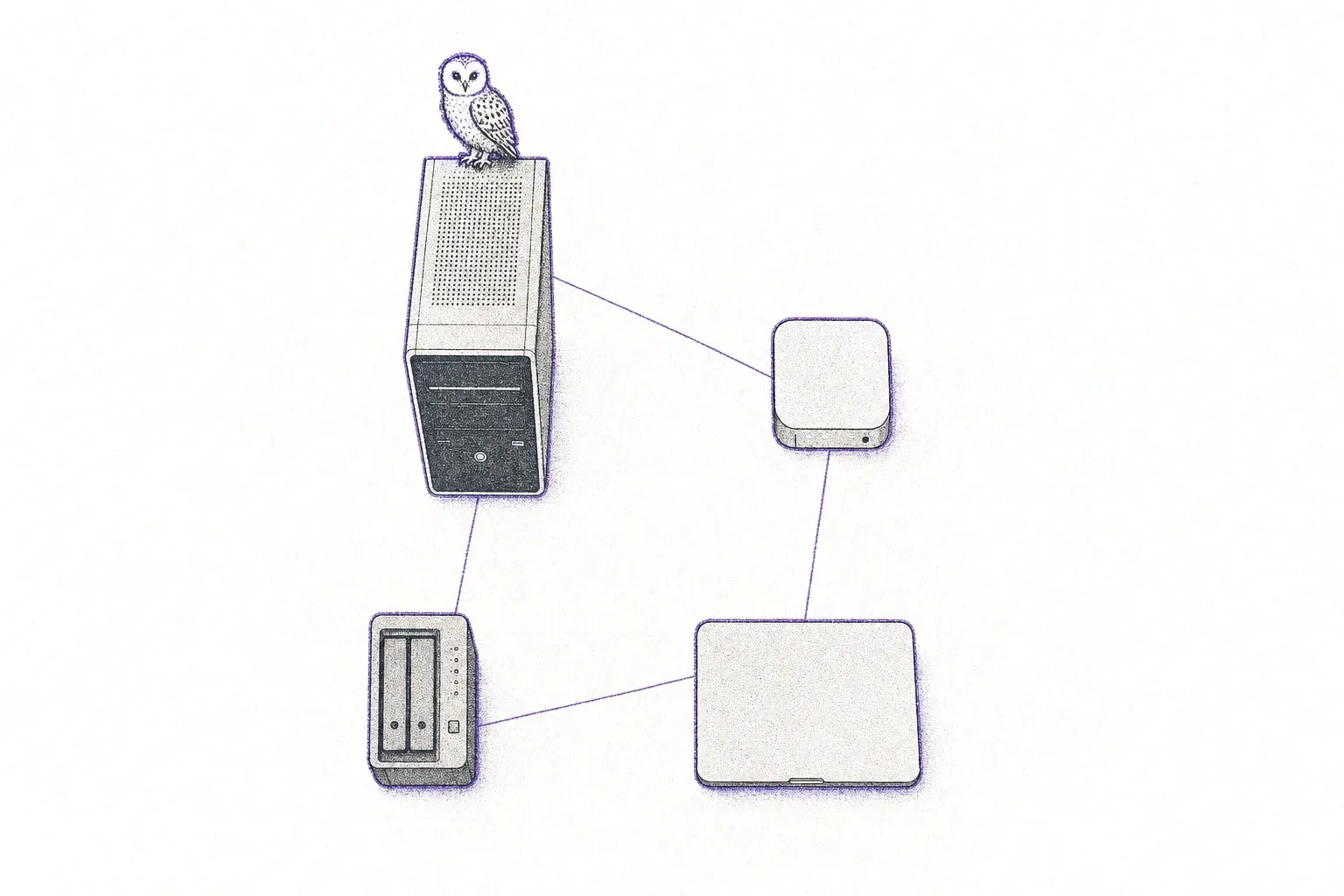
This is part one of a series on wiring my machines together. Next: from the couch to a shell in fifteen seconds.
I rebuilt my desktop this month. Pop!_OS came off, Omarchy went on, and somewhere between restoring the backup and cloning the first repo I noticed I’d been tolerating a lot.
The desktop has the GPU and the disk, so it’s where I want to write code. But it’s off half the time, and when I’m on the couch with the laptop, “off” means getting up, walking over, pressing the button, coming back, opening a terminal, typing an SSH key passphrase, and landing in a bare shell that dies the moment the laptop sleeps. Moving a file between the two meant setting something up every time. Pasting a screenshot into an agent running on the desktop didn’t work at all, because the screenshot is on the Mac and a terminal only carries text.
None of it is hard. All of it is friction, and friction is what decides whether you actually use the setup you built.
So before fixing anything, I wrote down what I have and what each machine is for.
The inventory
The machines are named after things in Harry Potter, which made sense at the time and now can’t be undone.
| Machine | What it is | What it’s for |
|---|---|---|
| grimmauld | Desktop. RTX 3090, 2 TB NVMe, Omarchy (Arch + Hyprland). | Writing code. Most of the compute. Not on 24/7. |
| floo | M4 Mac mini, 256 GB. | Things that run 24/7: Docker stacks, Plex, agents. Short on disk. |
| pensieve | Synology NAS. | Storage and backups. Always on. |
| the MacBook | M1, 8 GB. | The couch. |
floo has been the homelab for a while — I wrote about what runs on it and the guardrails around the agents. What’s new is grimmauld becoming the main dev box, which means the machines now have to talk to each other far more than they used to.
The rules
The point of rules is to stop relitigating. Every time I sat down to fix one annoyance, I’d find myself re-deciding where code should live, or whether the laptop should have a toolchain on it, and those conversations with myself never ended. So I wrote five down and committed to them.
1. Code lives in git. Machines hold clones. No working trees on the NAS, no rsyncing repos between boxes. If code needs to move between grimmauld and floo, it’s a push and a pull.
2. grimmauld is where I write code. floo is where things run. If something needs to be up 24/7, it gets a deploy path to floo. Nothing is deployed by copying files over by hand.
3. The MacBook is a thin client. It never gets the repo, the toolchain, or Docker. It needs exactly three things: a fast way to wake grimmauld and get into it, a session that survives the lid closing, and a way to move files and screenshots across.
4. Every box gets one stable name. Hostnames, SSH, and file shares should work the same from the desk and the couch.
5. Config is a repo too. Shell, prompt, SSH, git — in a dotfiles repo that applies to the Linux box and the Macs alike.
None of these are clever. Their value is that each one rules out a whole category of decision I’d otherwise make badly at 11pm.
The idea I talked myself out of
The tempting move was the opposite of rule 1: put all the code on the NAS, mount it everywhere, and let every machine see the same files. pensieve is always on, it’s backed up, and it’s already mounted on grimmauld. No sync problem at all.
It falls apart as soon as you build something:
- Build artifacts are per-architecture. grimmauld is x86_64 and floo is arm64. A shared
node_modules,_buildordepsdirectory is wrong on one of them at any given moment, and native extensions fail in ways that don’t look like an architecture problem. - File watchers don’t work over the network. inotify doesn’t fire for changes made on another machine via SMB or NFS. Dev servers and test watchers just quietly stop noticing.
- Databases don’t belong on network filesystems. Postgres and SQLite both have opinions about locking that network mounts don’t honour.
- Everything gets slower. A
git statuson a big repo over the network is a small, constant tax on every command.
Git already solves “the same code on two machines”, and it tells me when they’ve diverged instead of silently picking a winner. The NAS gets what it’s good at: backups, archives, media, and big files that don’t need to be fast.
What I deferred
The obvious answer to rule 4 is Tailscale: every machine gets a name that works from anywhere. I’m not doing it yet. Everything I actually want right now happens on the home LAN, and adding a mesh VPN before I need it is one more daemon to reason about when something breaks. mDNS names (grimmauld.local, floo.local) and one DHCP reservation cover it. When I want to wake the desktop from outside the house, that’s the day it goes in.
The plan
I wrote the goals up as a living document, one area per annoyance, each with a checklist. Then I worked through them in order of how much friction they removed per hour spent:
- Wake and remote access. Get from the couch to a shell on grimmauld in under fifteen seconds, including when it’s asleep. Part two.
- Encrypted boot without the walk. The disk is LUKS-encrypted, so a reboot used to mean standing at the desk to type the password. Part three.
- Files, screenshots and the GUI. A shared drop folder, screenshots that land in a remote agent’s prompt, and the desktop’s apps streamed to the laptop. Part four.
- Dotfiles. Getting my old shell comfort back on a distro that has strong opinions about the shell. Part five.
- Names for dev servers.
localhost:4321only means something on one machine. Part six. - Deploys to floo. One command to move a project from where I write it to where it runs. Part seven.
Most of it got done over a few evenings. Writing the rules down first saved more time than any single script.